People keep requesting access to my Canva design: why, and how to stop it
Short answer
Access requests mean buyers are opening a link to your original design that they are not allowed into, usually a view or edit link whose access is restricted. Don't approve them one by one: send a template link, which needs no approval, and replace the link in your PDF so new buyers never see the request screen.
Why buyers are requesting access
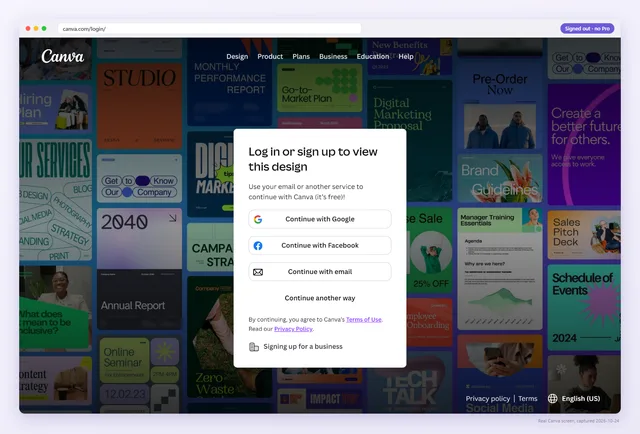
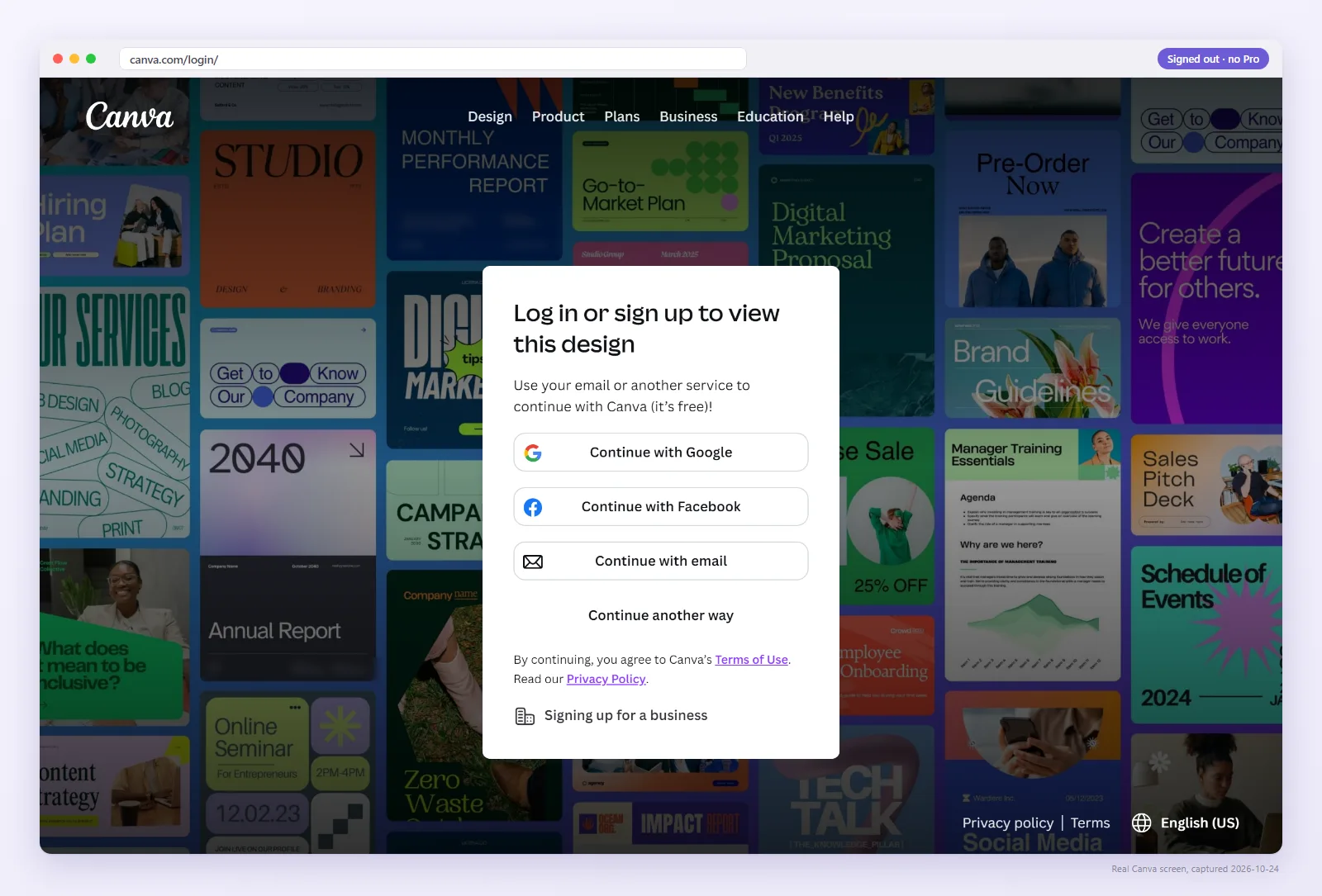
Canva shows a Request access button when someone opens a link to a design they have no permission to see. Signed out, they meet a login wall first. Signed in, they get the request screen. Canva then lets you, the owner, know about the request, and expects you to approve it or leave it.
For a seller, that screen almost always means the link in the PDF points at your original design instead of a template. The usual causes:
- The link was copied from the browser's address bar while editing, an
/editaddress meant only for you. - The collaboration link is set to only the people you invite.
- It was an edit or view link, and you restricted it later, for example after strangers started editing.
- It is an old template link that Canva turned into a Brand Template, which only your team can open. See Canva brand template links.
- Less often, the buyer is in the wrong Canva account. See “You don't have permission to access this design”.
Check what your buyers are opening
Paste the link from your PDF, or upload the PDF. We open it as a signed-out buyer and show the exact screen they get.
Should you approve the requests?
Approving gives that buyer access to your original design, at the level you choose. If it is edit access, they now work in your master, the problem described in anyone with the link can edit. If it is view access, they still cannot make a copy. Either way you would repeat it for every buyer, by hand, for as long as the listing sells.
Approving makes sense for a collaborator. For a buyer, reply with a template link instead.
What to reply to a buyer who requested access
Keep it short and give them something that works right now:
Thanks for your order, and sorry for the trouble. Here is the correct link: [template link]. Sign in to Canva, open it and choose Use template to get your own copy. I've also updated the PDF for future orders.
Before you send it, open the new link signed out or check it above, so you are not sending a second broken link. Buyers on the other side of this can use the buyer's Request access guide, which has a message they can send you.
How to stop the flood
- Create a template link for the design: Share → More (or See all) → Template link. It needs a paid Canva plan or a free trial since around the end of January 2025.
- Replace the link in your delivery PDF and export it as an interactive PDF.
- Upload the new PDF to every listing that used the old link. Marketplaces handle updated files differently, so check whether past buyers see the new file. If not, message them.
- Save your reply as a quick response. Old PDFs stay out in the world, and some requests will keep coming for a while.
- Check the new link signed out after any change to the design's sharing.
Restricted link (today)
- Buyer opensThe link in your PDF
- Canva showsLogin, then Request access
- Buyer getsNothing until you approve them
Template link
- Buyer opensYour template link
- Canva showsYour design, then Use template
- Buyer getsTheir own copy, your master untouched
Next time, change one link instead of every PDF
The painful part is not the new link. It is every PDF, on every listing, that still holds the old one. Two things in Abledly are built for that:
- Stable links. Put a short link such as
abledly.com/l/your-templatein the PDF instead of the raw Canva link. It sends buyers to the Canva link you have saved, so when that changes you update it once and every PDF keeps working. A free account gets one stable link; Pro gets one per saved link. - Fix my PDF. Upload a delivery PDF and it swaps the addresses behind its clickable links. It does not edit the page itself, so a link printed as visible text keeps showing the old address. The file is processed in memory and not stored.
Can you turn off access request emails?
Canva lets you manage email notifications in your account settings, and the options have changed over time. Muting them only hides the symptom: buyers still cannot open the template, and they will message you or the marketplace instead. Fix the link first.
Watch: the screen your buyer gets
You never see the request screen yourself, because you own the design. This 36-second video shows it from the buyer's side.
See the screen your buyers get
Paste the link from your PDF and you will see it as a signed-out buyer, with a screenshot.
FAQ
Why do people keep requesting access to my Canva design?
They are opening a link to your original design that they are not allowed into, usually an edit or view link with restricted access. A template link needs no approval.
Should I accept access requests from buyers?
Usually not. Approving gives the buyer access to your original design. With edit access they work in your master, and with view access they still cannot copy it. Send a template link instead.
How do I stop Canva access request emails?
Fix the link in your PDF so new buyers get a template link. You can manage email notifications in your Canva settings, but muting them does not help buyers open the template.
Will a template link stop the requests?
For new buyers, yes, because a template link needs no approval. Buyers holding the old PDF keep requesting until they get the new link, so message them too.
Why does a buyer see Request access when the link works for me?
You are signed in as the owner, so Canva shows you your own design. Test the link signed out to see what a buyer gets.