“Anyone with the link can edit” in Canva: can buyers edit your master template?
Short answer
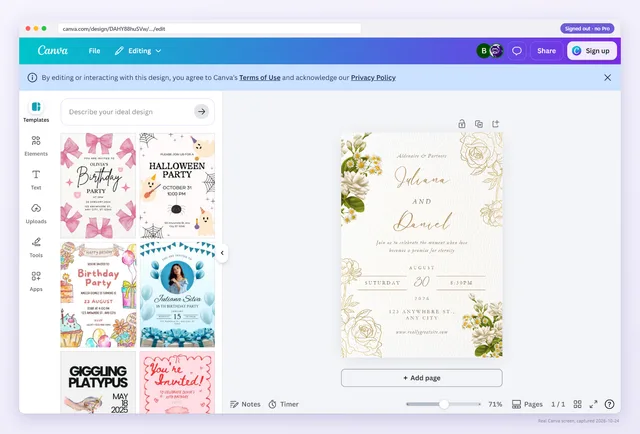
Yes. If the link in your PDF is a collaboration link set so anyone with the link can edit, every buyer opens your original design and their changes are saved into it for everyone after them. Replace it with a template link, which gives each buyer a copy instead.
What happens when a buyer opens an edit link
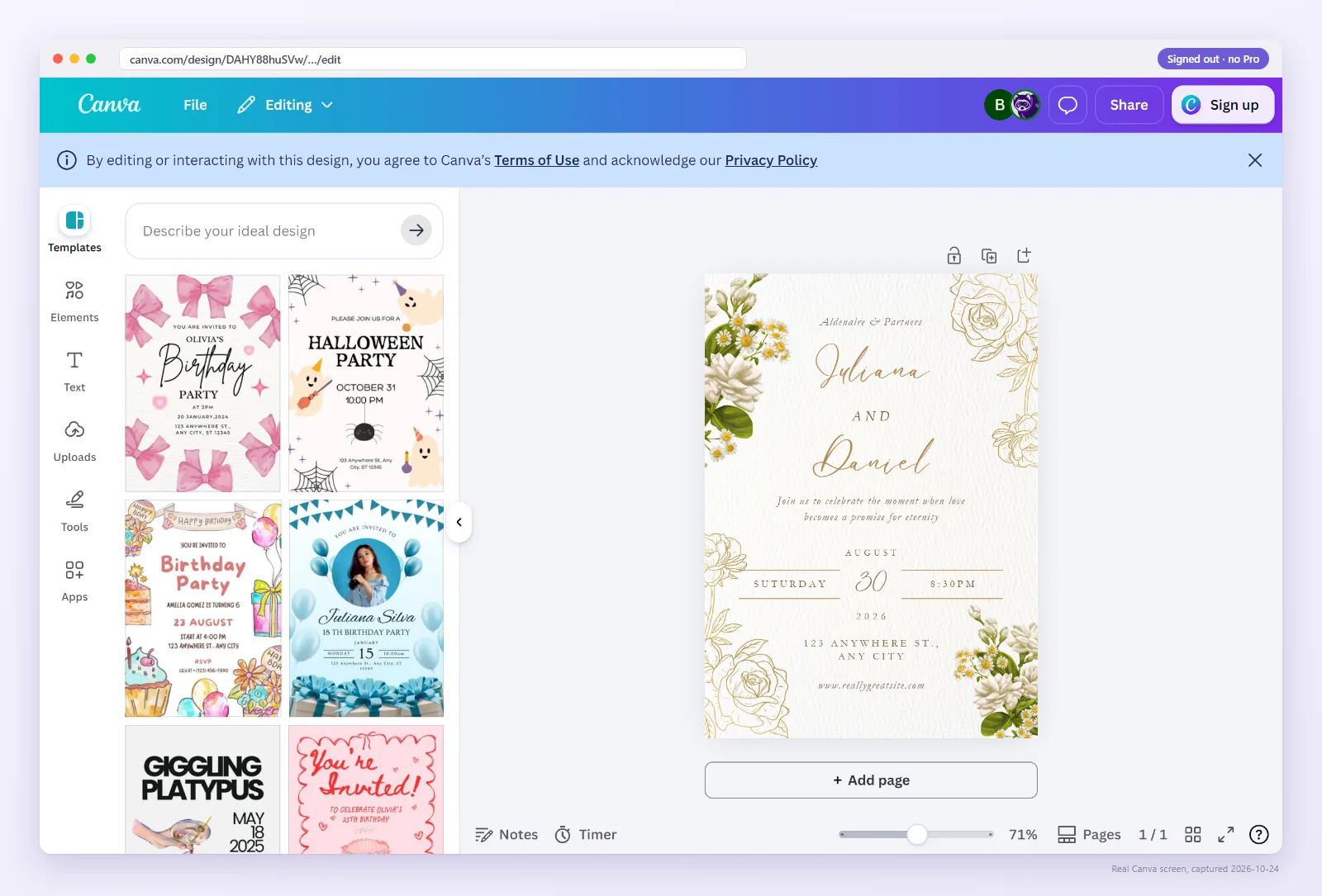
The setting lives at the top of Canva's Share menu: who can open the design through the link, and whether they can view, comment or edit. Set to anyone with the link can edit, the link becomes a door into the design itself.
A buyer who opens it is not making a copy. They are working in your file. Canva saves as they go, so their name in the headline, their photos and the pages they deleted are now part of the master. The next buyer opens the same file and sees all of it.
This is not a rare edge case. Etsy community threads report sellers finding buyer edits in their original designs, and the same threads report buyers being asked to request access after purchase.
Is the link in your PDF an edit link? Check it
Paste the link or upload the PDF your buyers download. If it is an edit link, the result says so and shows the editor a signed-out buyer lands in.
Signs your buyers have an edit link
- Your master design has changes you didn't make: new text, swapped photos, missing pages.
- A buyer says their changes disappeared. Someone else edited the same file after them.
- The link in your PDF ends in
/edit. - Buyers who bought a while ago now see “Request access”. That happens when an edit link's access was later restricted.
What an edit link puts at risk
- Your master file. Any buyer can change or delete pages, and you may not notice for weeks.
- Every later buyer. They receive a template someone else has already filled in, which reads as a broken product and invites refunds and low reviews.
- Your buyers' privacy. People type their own names, dates, addresses and photos into a file that every other buyer can open.
- Your time. Each problem turns into a support message, a fix and an apology.
Edit link (anyone with the link can edit)
- Buyer opensYour edit link
- Canva showsYour original, open in the editor
- Buyer getsYour master file, shared with every buyer
Template link
- Buyer opensYour template link
- Canva showsYour design, then Use template
- Buyer getsTheir own copy, your master untouched
How to fix it, in order
- Make a safe copy first. Open the design and make a copy of it (Canva calls this Make a copy). If buyers already changed the original, clean up the copy, or use version history if your plan has it.
- Create a template link from the clean design: Share → More (or See all) → Template link. This needs a paid plan or a free trial since around the end of January 2025.
- Update your delivery PDF, export it as an interactive PDF and upload it to every listing that used the old link.
- Message recent buyers with the new link and one line: sign in, open it, choose Use template.
- Close the edit link. In the Share menu, change the link's access from anyone with the link to only the people you invite. Canva's labels for this have changed over time.
- Check both links signed out. The old one should no longer open the editor. The new one should show the design and offer a copy.
The order matters. If you close the edit link before buyers have the new one, the people holding your old PDF hit a wall with nothing to replace it.
Why sellers end up with an edit link
Usually it is a copy from the wrong place. The collaboration link sits first in the Share menu with a Copy link button right next to it, while Template link is a step further in. Copying the browser's address bar while editing gives an /edit address too, though that one usually hits a login wall rather than opening the editor.
It is also tempting on Canva Free. Creating template links needs a paid plan or a trial, and an edit link is the one free workaround. It is also the one that costs you the master file. The template link vs share link guide compares all three links.
Watch: what a signed-out buyer actually sees
Your own view of a link never shows the problem. This 36-second video shows the buyer's side.
When an edit link is fine
An edit link is the right tool for people you work with: a co-designer, a virtual assistant, or a client working on their own one-off design. It is the wrong tool for anything you sell, or share with a group, where each person needs their own copy. If you hand templates to clients or students, see Canva templates for clients and students.
Make sure no buyer is in your master
Paste the link from your PDF. If it is an edit link, you will see it before the next buyer does.
FAQ
Can buyers edit my original Canva template?
Yes, if the link they have is an edit link. Their changes are saved into your original and every later buyer sees them. A template link gives each buyer a copy instead.
How do I stop people editing my Canva design?
Send buyers a template link instead, then change the old link's access in the Share menu to only the people you invite. Do it in that order so no buyer is left without a working link.
Will buyers lose their work if I close the edit link?
Their changes live in your design, not in their account, so they lose access to them. Send the template link first so they can make their own copy.
How do I know if my link is an edit link?
Edit links usually end in /edit. The reliable way is to open the link signed out or run it through the checker on this page, which names the link type.
Is a template link safe for my master design?
Yes. Everyone who uses a template link gets a separate copy. Your original stays as you left it.