How to see what your buyer sees: test a Canva link signed out
Short answer
Open the link in a private or incognito window where you are not signed in to Canva, or paste it into a checker that opens it as a signed-out buyer. Testing in your normal browser proves nothing, because Canva recognises you as the owner and shows you the design whatever kind of link it is.
Why the link always opens for you
When you open a Canva link, Canva checks who is asking before it checks the link. You are signed in as the owner, so you get your design: an edit link opens the editor, a view link opens the design, a restricted link opens anyway, and a link that now points to a team Brand Template opens because you are in the team.
The one thing that fails for you as well is a deleted design. Everything else can look perfect from your chair and be broken for every buyer. “It works for me” is not evidence.
Method 1: a private window, signed out
- Open a private window: Ctrl+Shift+N in Chrome and Edge (Cmd+Shift+N on a Mac), Ctrl+Shift+P in Firefox, or File → New Private Window in Safari.
- Copy the link exactly as it appears in your PDF, ideally by tapping it in the PDF itself.
- Paste it into the private window and wait for the page to finish loading.
- Compare what you see with the table below, then close the window.
On a phone, a link tapped in a PDF can open in the Canva app, where you are signed in. Copy it into a private browser tab instead.
What each screen means
These are the headlines Canva showed a signed-out visitor in our own captures. Canva's wording can change, and it is shown in the visitor's language.
| What you see | What it means |
|---|---|
| The design opens in Canva's viewer | The link is public. With a template link, buyers get Use template once they sign in. |
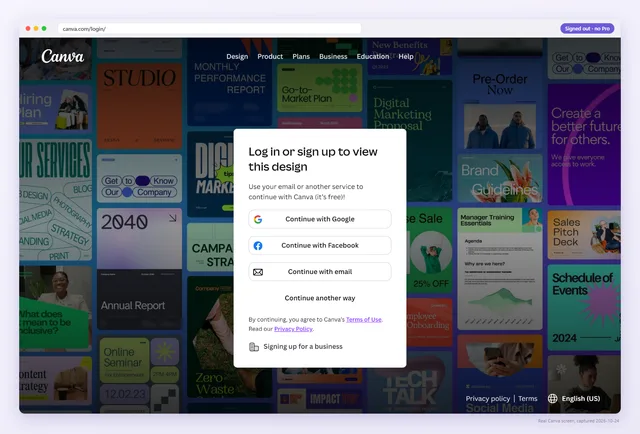
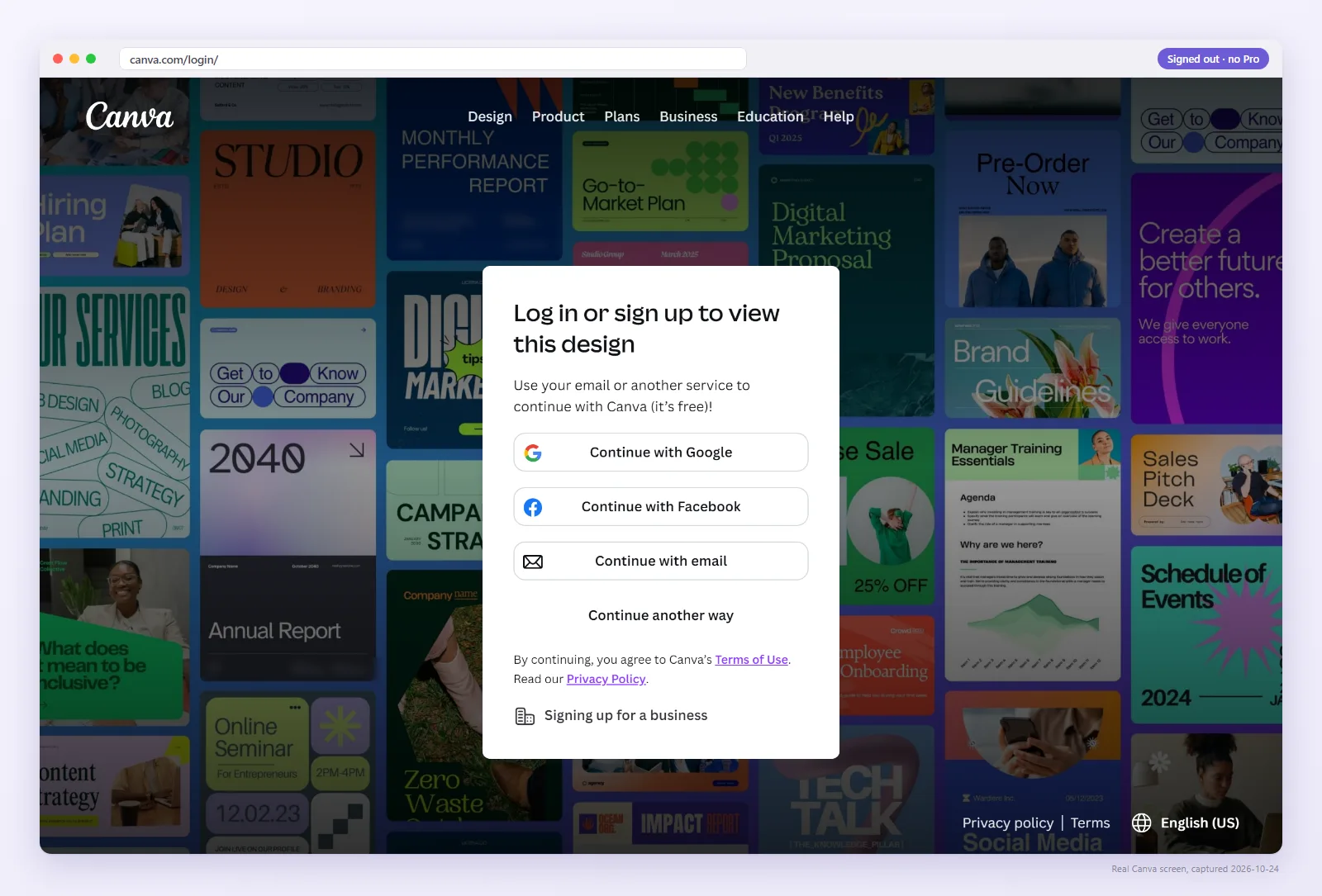
| “Log in or sign up to view this design” | The link is private or its share token is wrong. Buyers cannot get in. More on access errors. |
| “Looks like we hit a roadblock” | The design or link was deleted, or the URL is cut off or mistyped. |
| The editor, marked “Editing” | An edit link. Buyers work in your master file. |
| “Log in or sign up in seconds” after a redirect to /brand/brand-templates/ | An old link converted to a Brand Template. Only your team can open it. |
Method 2: let the checker open it as a buyer
Paste the link, or upload the PDF your buyers get. We open each Canva link in a fresh signed-out browser, read what Canva serves, name the link type and the buyer's outcome, and keep a screenshot. Guests get 3 link checks and 1 PDF check a day.
Method 3: a second, free Canva account
A private window shows you the signed-out view. Some problems only show up after sign-in: Request access instead of Use template, or watermarks on Pro elements. To see those, create a separate free Canva account with a different email address, sign in to it in a private window and open the link.
Don't use an account that belongs to your Canva team. Team members can open Brand Templates and team designs that buyers cannot, so it would hide exactly the problems you are looking for.
Which method to use when
| Method | Signed-out view | Signed-in buyer view | Checks the PDF itself | Repeats daily |
|---|---|---|---|---|
| Private window | Yes | No | Only the link you paste | No |
| Second free account | No | Yes | Only the link you paste | No |
| Abledly checker | Yes, with a screenshot | No | Yes, every link in it | With Pro |
You, signed in as the owner
- You openYour link
- Canva showsYour design, every time
- You getEverything works
Your buyer, signed out
- Buyer opensThe same link
- Canva shows“Log in or sign up to view this design”
- Buyer getsNothing, then a refund request
Watch: one link, two screens
The whole problem in 36 seconds: the same link, opened by the owner and by a buyer.
How often to check
- Before you publish a listing or send a link to clients.
- After you change anything in the Share menu.
- After any Canva announcement about sharing or plans.
- After you change or cancel your own Canva plan.
- The moment a buyer says the template “doesn't work”. Start with the six reasons a link breaks.
Doing that by hand for a whole shop gets old fast. Pro rechecks every saved link once a day as a signed-out buyer and emails you when one changes, with the screenshot, so you hear about it before your buyers do. $9/month or $90/year, cancel anytime.
See your link the way your buyer does
Paste the link from your PDF. No sign-up for the first 3 checks a day.
FAQ
How do I see what my buyer sees on Canva?
Open the link in a private window where you are not signed in to Canva, or use a checker that opens it as a signed-out buyer. To see the signed-in view, use a second free Canva account.
Why does my Canva link work for me but not for buyers?
You are signed in as the owner, so Canva shows you your own design whatever kind of link it is. Buyers arrive signed out or in their own account.
Does a private window sign me out of Canva?
A private window starts without your cookies, so Canva treats you as signed out there until you sign in. Your normal windows stay signed in.
Can I preview my template link as another user?
Yes. Create a separate free Canva account, sign in to it in a private window and open the link. Don't use an account in your own Canva team.
Is the checker free?
Guests get 3 link checks and 1 PDF check a day, and a free account gets 5. Pro rechecks saved links daily and emails you when one changes.