Canva template delivery PDF: how to deliver Canva templates that open
Short answer
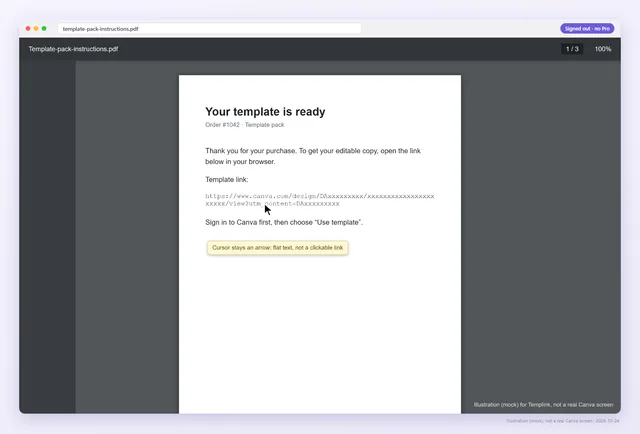
A delivery PDF is a one- or two-page file with your Canva template link on a clickable button or text link, a line telling buyers to sign in to Canva, and short instructions. Export it as an interactive PDF, then tap the link on a phone and open it signed out before you upload it.
Why Canva templates are delivered in a PDF
Most places you sell deliver files, not links. Etsy does not accept a live link as the product, and Gumroad, Shopify, Teachers Pay Teachers and Payhip all hand the buyer whatever file you attached. So the template link travels inside a PDF.
That PDF is the only thing standing between payment and a happy buyer. It is also the part sellers test least, because they wrote it and know where the link goes.
Check the PDF you have now
Upload the exact file you attach to the listing, or the one you are about to. We list every clickable link and every Canva URL that only appears as text, then open the Canva links as a signed-out buyer. Guests can check one PDF a day, covering its first 3 Canva links.
What to put in the delivery PDF
- The product name and what is included: pages, sizes, formats.
- The template link on a large button, plus a short text link under it.
- One line: “You need a free Canva account. Sign in, open the link and choose Use template to get your own copy.”
- A note about any Pro photos, graphics or fonts, and what a free account will see.
- How to reach you if the link doesn't open.
- Your terms of use, if you have them.
Keep it short. Buyers open this file once, on whatever device is nearby, and want the button.
Clickable button or text link?
In Canva you add a link to any element: select the button shape or the text, choose Link and paste the template link. Both work in an interactive export. The difference shows up when something goes wrong:
| Button with a link | Text link | Printed URL only | |
|---|---|---|---|
| Easy to tap on a phone | Yes | If it is large enough | No, it has to be typed |
| Works in a flat export | No | No | It can still be typed |
| Buyer can type it if tapping fails | No | Only if the full URL is shown | Yes, but long Canva URLs are easy to mistype |
The best of both is a button plus a short visible URL. Raw Canva links are long, and one wrong character breaks a typed link. A short Abledly stable link (abledly.com/l/your-template) can be typed, and you can change where it points later without touching the PDF.
Avoid Lift and Neon text effects on the link. They have been reported to lose links in exported PDFs.
Export it as an interactive PDF
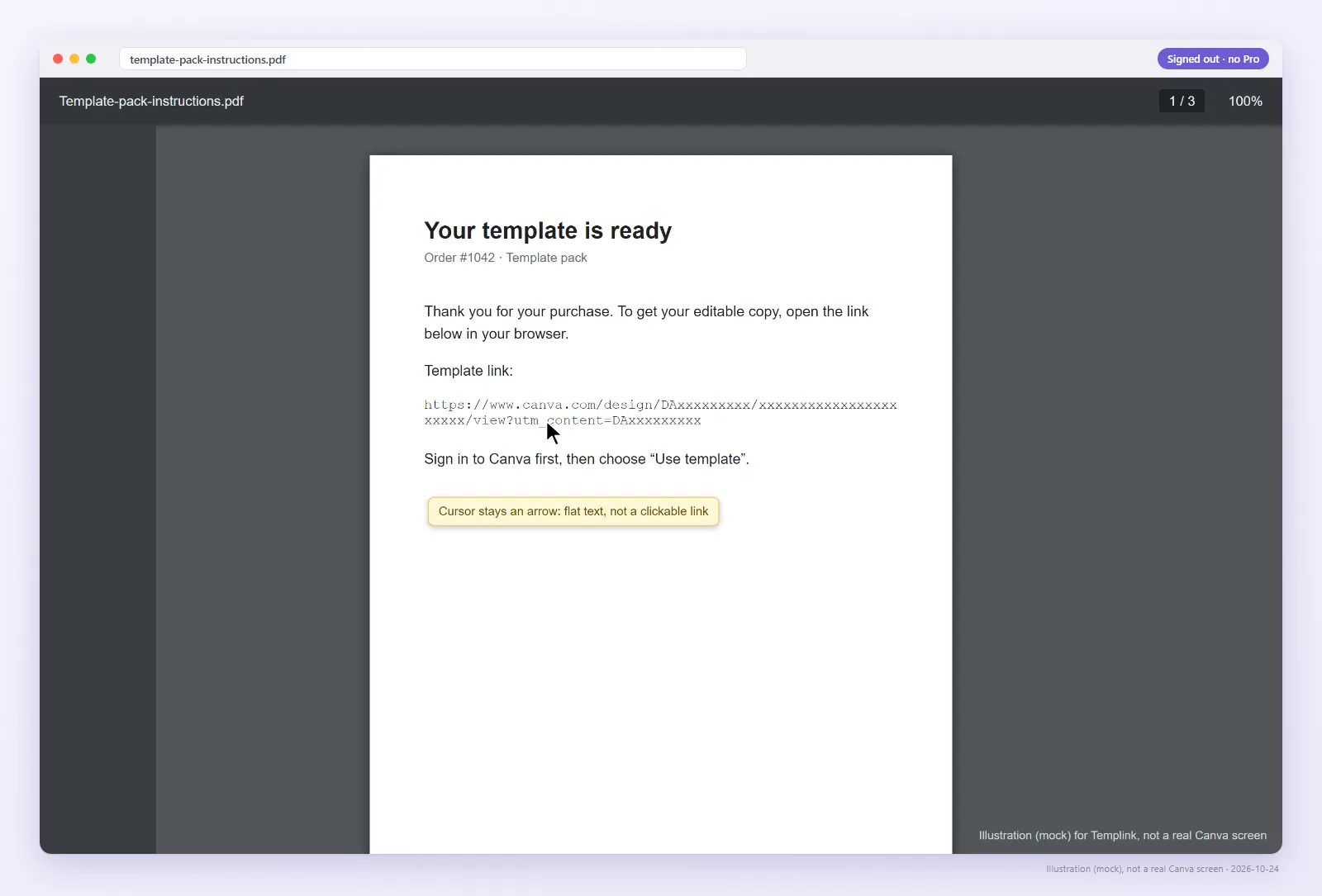
Canva keeps links only in downloaded or published interactive PDFs. Flat exports strip them, and so does “print to PDF” from any viewer. If your download options include a setting to flatten the PDF, leave it off. Canva's download dialog has changed before, so check what it offers today.
Every flat export looks perfect on screen. The text is there, the button is there, and nothing happens when you tap. That is why the next step matters more than any setting. More in flat vs interactive PDF.
A two-minute test before you upload
- Open the PDF on your phone and tap the link. It should open Canva.
- Open it in a desktop PDF viewer and click the button.
- Open the link in a private window, signed out. You should see the design, not a login wall.
- Run the PDF through the checker near the top of this page.
Interactive PDF
- Buyer opensThe button in the PDF
- Canva showsYour design, then Use template
- Buyer getsTheir own copy
Flat PDF
- Buyer opensThe link printed in the PDF
- Canva showsNothing: tapping does nothing
- Buyer getsNothing, then a message to you
Already uploaded a PDF with a broken link?
You have two options. The first is to fix the design in Canva, create a fresh template link, export again and replace the file on every listing. The second is faster if the problem is only the link: Abledly Fix my PDF takes the PDF you already have and swaps the addresses behind its clickable links for the ones you choose.
Fix my PDF does not edit the page itself, so a URL printed as visible text keeps showing the old address. The file is processed in memory and not stored. A free account can fix one PDF a month; Pro has no monthly limit. Either way, upload the result to every listing that used the old file, and send it to recent buyers.
Watch: what your buyer gets when they tap
Your PDF opens your design for you, because you are the owner. This 36-second video shows the buyer's side of the same link.
If you sell many templates
Use one PDF per product and keep a simple list of which link sits in which file. When Canva changes something, that list tells you exactly which files to replace. Pro can import the links from each listing's PDF, recheck them every day as a signed-out buyer and email you when one changes. $9/month or $90/year.
Check your delivery PDF
Upload the file you attach to the listing, or paste the link inside it.
FAQ
How do I deliver a Canva template to a buyer?
Create a template link, put it on a button in a short PDF with one line of instructions, export an interactive PDF and attach it to the product. Test the link inside the PDF before you publish.
Should the link in my PDF be a button or text?
A button is easiest to tap. Add a short visible URL under it so buyers can type it if tapping fails. Both need an interactive PDF export.
Why is the link in my PDF not clickable?
Most often the PDF was exported flat or printed to PDF. The text survives but the link does not. Lift and Neon text effects have also been reported to lose links.
Can I deliver a Canva template without a PDF?
Etsy does not accept a live link as the product, so Etsy sellers upload a PDF. Other platforms deliver files too, which is why a PDF is the usual format.
Do I need a new PDF every time the link changes?
Usually yes, because a new template link is a new URL. A stable link avoids that, and Fix my PDF can swap the clickable links in an existing PDF.