What an overlay widget actually does to your site
Search “overlay widget accessibility” and you'll find dozens of vendors making the same pitch: paste one script tag and your site becomes compliant overnight. An accessibility overlay is a JavaScript snippet that injects a floating toolbar onto your page. Depending on the product, it may offer controls for adjusting text size, contrast or spacing, and it may attempt to automatically patch keyboard navigation or ARIA attributes using client-side JavaScript. Vendors often describe this as “AI-powered” remediation.
The core claim — that a single script can make an arbitrary website compliant with WCAG 2.1 AA or the ADA — is the problem. WCAG conformance is assessed against the underlying HTML, CSS and scripting the browser actually delivers to the user. An overlay runs after that code is already rendered. It can add a widget, but it cannot rewrite the document structure that screen readers parse, it cannot fix missing form labels buried in your CMS, and it cannot write meaningful alternative text for images it knows nothing about.
accessiBe lawsuit: what did the FTC's $1 million order actually require?
In January 2025 the Federal Trade Commission announced a proposed settlement with accessiBe, one of the largest overlay vendors, over deceptive marketing claims — specifically that its AI-powered overlay made websites “fully ADA compliant” and “fully accessible.” The FTC approved the final order in April 2025, requiring accessiBe to pay $1 million in civil penalties and barring the company from claiming its product can make any website automatically or continuously WCAG-compliant without evidence to support it.
This is not an advocacy group's opinion. It's a formal finding by a federal agency with enforcement authority. The practical implication for any business that bought an overlay based on compliance marketing: the vendor's own core sales claim has been ruled false by the U.S. government.
Why do overlays fail? 1,000+ accessibility professionals agree
The Overlay Fact Sheet (overlayfactsheet.com) is a public statement, now signed by more than 1,000 accessibility practitioners, engineers and researchers, documenting specific technical and ethical problems with overlay products. Signatories include contributors and editors of the WCAG, ARIA and HTML specifications, in-house accessibility experts at major technology companies, disability-rights lawyers, and end users with disabilities. It reads like a professional consensus statement from the people who actually test websites with screen readers for a living — not a marketing dispute.
Their core finding: overlays do not and cannot make websites accessible on their own. Several signatories go further, noting that overlays can actively worsen the experience for assistive-technology users by injecting conflicting ARIA attributes into a page a screen reader is already interpreting.
Do accessibility overlays cause lawsuits? Paid and still sued
The accessibility overlay lawsuit pattern in 2025
Not directly — no data shows an overlay causes litigation. But it doesn't reliably prevent it either. Data compiled by EcomBack from 2025 ADA Title III web-accessibility filings shows that 24.9% of sued sites (983 of 3,948) already had an accessibility overlay or widget installed at the time of the complaint — up from 22.65% in 2024. In several cases, the complaint specifically named the overlay as evidence the defendant already knew about their accessibility obligations and chose a quick fix over a real one.
Plaintiffs' firms that specialize in ADA web litigation have developed tooling to test sites before filing, and they're aware of which sites run overlays. A widget badge visible in a screenshot doesn't deter a demand letter; on some readings it may attract one, because it signals the site owner was already aware of the issue.
Source: EcomBack, 2025 Annual ADA Website Accessibility Lawsuit Report
Overlay widget vs. real remediation
The difference isn't cosmetic — it's what a regulator, a court, or a screen reader actually encounters when they look past the badge.
Overlay widget
- Injected toolbar sits on top of the page — doesn't touch your HTML or ARIA
- The markup a screen reader actually parses is unchanged
- Present on ~1 in 4 sites sued in 2025 anyway
- FTC ruled “fully compliant” marketing deceptive (accessiBe, $1M, 2025)
- Monthly subscription — you own no fix when you cancel
Real remediation
- Fixes the code you actually own, in your own codebase
- Verified with two scan engines (axe-core + IBM Equal Access) plus AI review
- Confirmed with manual assistive-technology testing
- Produces dated documentation you can show a regulator or court
- The fix is permanent — it doesn't disappear if you stop paying
Why screen reader users often turn overlays off
Users who depend on screen readers — the population overlays claim to serve — frequently disable them. The most common complaints: overlays intercept keyboard shortcuts the screen reader itself uses, overlays inject ARIA roles that conflict with the page's existing structure, and the overlay toolbar itself is often not operable without a mouse. There's documented evidence of blind users being locked out of content entirely when an overlay conflicted with their screen reader.
An accommodation tool that the intended beneficiaries are actively avoiding isn't an accommodation. It's a liability with a badge.
What honest accessibility compliance actually looks like
Real WCAG 2.1 AA conformance means identifying failures and fixing them in the underlying code. The process that actually produces evidence of good-faith effort has several layers:
Multi-engine scanning
No single automated tool catches everything. Running axe-core and IBM Equal Access together covers substantially more WCAG success criteria than either alone.
AI-assisted review
Automated tools confirm an image has alt text; they can't judge whether it's meaningful. AI review catches vague link text, redundant descriptions and reading-order problems.
Manual AT review
Tab order, modal focus management and live-region announcements only surface with a human tester using a screen reader — the differentiator automated-only reports miss.
Dated documentation
A timestamped audit trail of what you tested, found and fixed is your actual legal evidence. An overlay receipt is not.
The EU Accessibility Statement, required under the European Accessibility Act for businesses operating in the EU, must describe what you tested, the method you used, and what known failures remain. An overlay can't generate that statement, because it has no knowledge of what your actual failures are.
If you're currently running accessiBe, UserWay, AudioEye or another widget, it's worth reading what a real, non-overlay alternative actually changes: see our accessiBe alternative and UserWay alternative comparisons, then start fixing the underlying issues with this list of common fixes.
A real scan report, not a widget badge
Every number above is about the industry. This is what an actual scan of a real page looks like — the specific WCAG issue, why it matters, and a drafted fix.
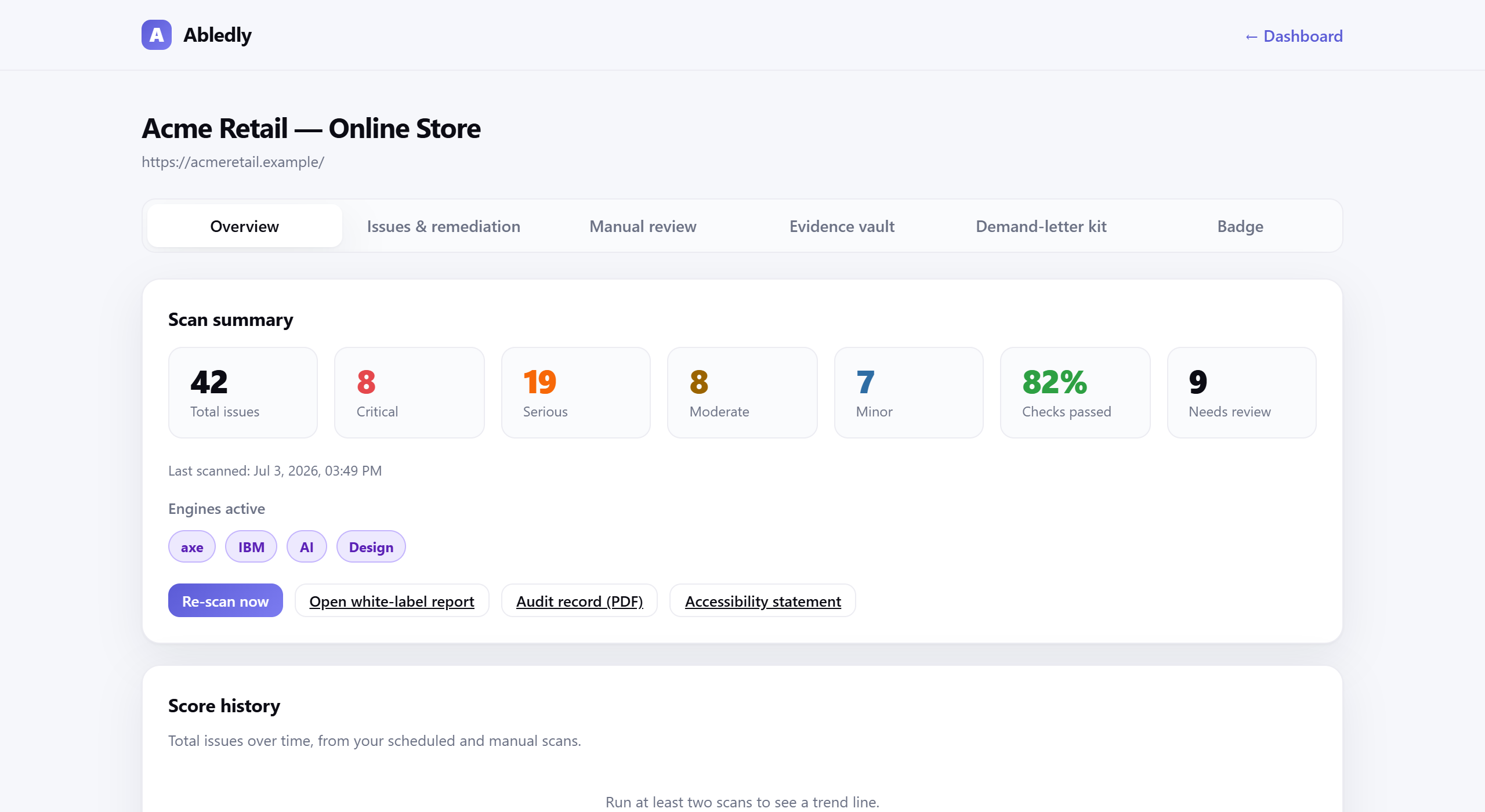
Click to enlarge
An actual Abledly scan report — real WCAG issues found on a real page, each with a drafted code fix.
The honest position
No tool, including this one, will guarantee you're lawsuit-proof. Accessibility is an ongoing practice, not a one-time certificate. What honest scanning gives you is a clear picture of your actual failures, a prioritized remediation list, and dated documentation that demonstrates systematic good-faith effort. That's what courts and regulators actually look at. That's what an overlay cannot provide.
For the full picture of how lawsuit volume, targets and states have moved through 2025, see our ADA lawsuit statistics breakdown. The contrast here is simple: overlays sell you a badge. Real scanning tells you what's broken and gives you the records to prove you fixed it.
Frequently asked questions
Can an accessibility overlay protect me from an ADA lawsuit?
No. Overlays do not fix the underlying HTML, so courts and plaintiffs' attorneys generally treat them as cosmetic. In EcomBack's 2025 data, 24.9% of sued sites already had an overlay installed — up from 22.65% in 2024 — and the overlay did not prevent the suit from being filed or won.
Do accessibility overlays cause lawsuits?
Not directly — there's no data showing an overlay causes litigation. But it doesn't prevent it either: nearly a quarter of the sites sued in 2025 already had one running, and in several complaints plaintiffs cited the overlay as evidence the site owner already knew about accessibility obligations and chose a quick fix over a real one.
accessiBe lawsuit: what did the FTC's $1 million order actually require?
In January 2025 the FTC announced a proposed settlement with accessiBe over deceptive marketing — specifically claims that its AI overlay made websites “fully compliant” with the ADA and WCAG. The FTC approved the final $1 million order in April 2025, barring accessiBe from making automated-compliance claims it can't support with evidence. It's a formal regulatory finding, not an advocacy opinion.
UserWay lawsuit: has UserWay faced similar action?
UserWay hasn't, as of this writing, been the subject of its own FTC order the way accessiBe has. But sites running UserWay, AudioEye or any other overlay show up among 2025's sued sites at roughly the same rate EcomBack found overall — about 1 in 4 — because litigation and screen readers both test the markup a browser actually receives, not which vendor's badge sits in the corner.
Why do overlays fail?
Technically, because an overlay runs after your page is already rendered — it can't rewrite the document structure a screen reader parses, add real labels in your CMS, or write meaningful alt text for images it knows nothing about. Practically, because the people overlays claim to help often turn them off: overlays can intercept the screen reader's own keyboard shortcuts and inject ARIA roles that conflict with the page's existing structure.
Are accessibility overlays bad for screen reader users specifically?
Many screen reader users report exactly that. The most common complaints are overlays intercepting keyboard shortcuts the screen reader itself uses, injecting conflicting ARIA attributes, and an overlay toolbar that isn't itself operable without a mouse. There are documented cases of blind users being locked out of content when an overlay conflicted with their screen reader.
What is the honest alternative to an accessibility overlay?
Real compliance means fixing the underlying code: run automated scans with multiple engines (axe-core and IBM Equal Access), add an AI review pass for context-level failures automated tools miss, and complete manual review with assistive technology. Dated, archived documentation of what you tested, when, and what you fixed is your actual legal evidence — an overlay receipt is not.
Start with a real scan, not a badge
Two engines, AI review, no overlay sold. Free for any public URL.
Scan your site free →