Does the ADA Apply to Websites?
Yes, with very high confidence. Title III of the Americans with Disabilities Act prohibits discrimination in places of public accommodation. Courts have consistently extended that to business websites, and in 2022 the Department of Justice issued formal guidance confirming that web accessibility is required under the ADA for businesses covered by Title III — restaurants, retailers, hotels, healthcare providers, financial services, and many others.
Over 4,000 federal ADA web-accessibility lawsuits were filed in 2023 alone. The typical target is a small or mid-size business whose site has never been tested. If you sell goods or services online, your site is almost certainly covered — and website ADA compliance isn't optional once you accept that your site functions as a place of public accommodation.
What Automated Scanners Can and Cannot Find
There is a persistent myth — sold aggressively by overlay vendors — that installing a JavaScript widget makes you compliant. It does not. Overlays have been the subject of class-action lawsuits, FTC scrutiny, and widespread rejection by the disability community. The FTC fined accessiBe $1 million in 2025 for deceptive compliance claims.
Automated scanners, even rigorous ones running two engines (Abledly uses axe-core plus IBM Equal Access), detect roughly 30 to 40 percent of real WCAG failures. They are reliable for:
- Images without alt text
- Color contrast below 4.5:1 (normal text) or 3:1 (large text)
- Form inputs with no associated label
- Pages with no title or a duplicate title
- Missing document language
- Empty buttons or links
- Heading levels that skip (e.g., h1 jumping to h4)
They cannot reliably detect whether a video has accurate captions, whether a complex widget is actually operable by keyboard, whether a screen reader receives meaningful feedback from a custom dropdown, or whether error messages are understandable. Those require human judgment — which is why an honest ADA compliance checklist always separates what a scan catches from what still needs a person.
Based on Abledly's two-engine scan coverage (axe-core + IBM Equal Access) against the full WCAG 2.1 AA success-criteria list — a product estimate, not a court or regulator statistic.
The ADA / WCAG 2.1 AA Checklist for 2026
Work through these eight areas. Each maps directly to a WCAG 2.1 AA success criterion that appears repeatedly in demand letters and court findings — together they're the practical core of any ada compliance checklist worth using.
1. Alt Text on Images
Every meaningful image must have an alt attribute that describes its content or function. Decorative images should have an empty alt attribute (alt="") so screen readers skip them. Images that are links need alt text describing the destination, not the image itself. A scanner catches most missing alt attributes, but only a human can judge whether the text is accurate and useful — a filename like "IMG_4021.jpg" dropped into an alt attribute technically "passes" some automated checks while being useless to a screen reader user.
2. Color Contrast
Normal body text needs a contrast ratio of at least 4.5:1 against its background. Large text (18pt or 14pt bold) needs 3:1. This is one of the most common failures — many brand palettes use light gray text on white backgrounds that looks modern but fails the threshold. Automated tools flag this reliably, which makes it one of the fastest wins on any ADA compliance checklist.
3. Form Labels
Every input, select, and textarea must be programmatically associated with a visible label using the for/id pair, aria-label, or aria-labelledby. Placeholder text alone does not count as a label — it disappears when the user starts typing and is not reliably announced by screen readers. This applies to search boxes and newsletter signups just as much as to full checkout forms.
4. Keyboard Operability
A user who cannot use a mouse must be able to reach and activate every interactive element — navigation menus, buttons, forms, modals, accordions, carousels — using only the Tab, Shift+Tab, Enter, Space, and arrow keys. This is almost entirely outside what scanners can test. Sit down and try it on your own site: if you lose track of where you are, or get stuck inside a modal with no way out, that's a real barrier a scanner would miss.
5. Visible Focus Indicator
When keyboard users Tab through a page, there must be a clearly visible indicator showing which element has focus. Many sites suppress the browser's default outline with CSS (outline: none or outline: 0) for aesthetic reasons, leaving keyboard users with no way to track where they are. WCAG 2.2 AA strengthens this criterion further — see our WCAG 2.2 checklist if you're rebuilding a template from scratch.
6. Heading Structure
Headings (h1 through h6) must reflect a logical document outline, not just visual styling. There should be one h1 per page. Subheadings should nest correctly. Screen reader users navigate by heading to skim long pages; a broken heading structure makes this impossible. Scanners catch skipped levels but not semantically wrong headings — a div styled to look like an h2 but marked up as plain text still fails, even though it "looks" like a heading.
7. Accessible Forms and Error Handling
When a form submission fails validation, the error message must identify which field failed and explain what to fix, in text — not by color alone, and not by an icon with no label. Required fields must be identified to assistive technology, typically with aria-required="true" or the required attribute alongside a visible indicator. This is one of the checklist areas where a scan and a human need to work together: automation can confirm the attribute exists, but only a person can confirm the message actually makes sense.
8. Video Captions and Audio Descriptions
Pre-recorded video must have synchronized captions. Auto-generated captions (YouTube, Zoom) often contain errors significant enough to fail the accuracy standard; they need human review and correction. If the video contains meaningful visual information not explained in the audio track, audio descriptions are also required.
How to Actually Check ADA Compliance on Your Site
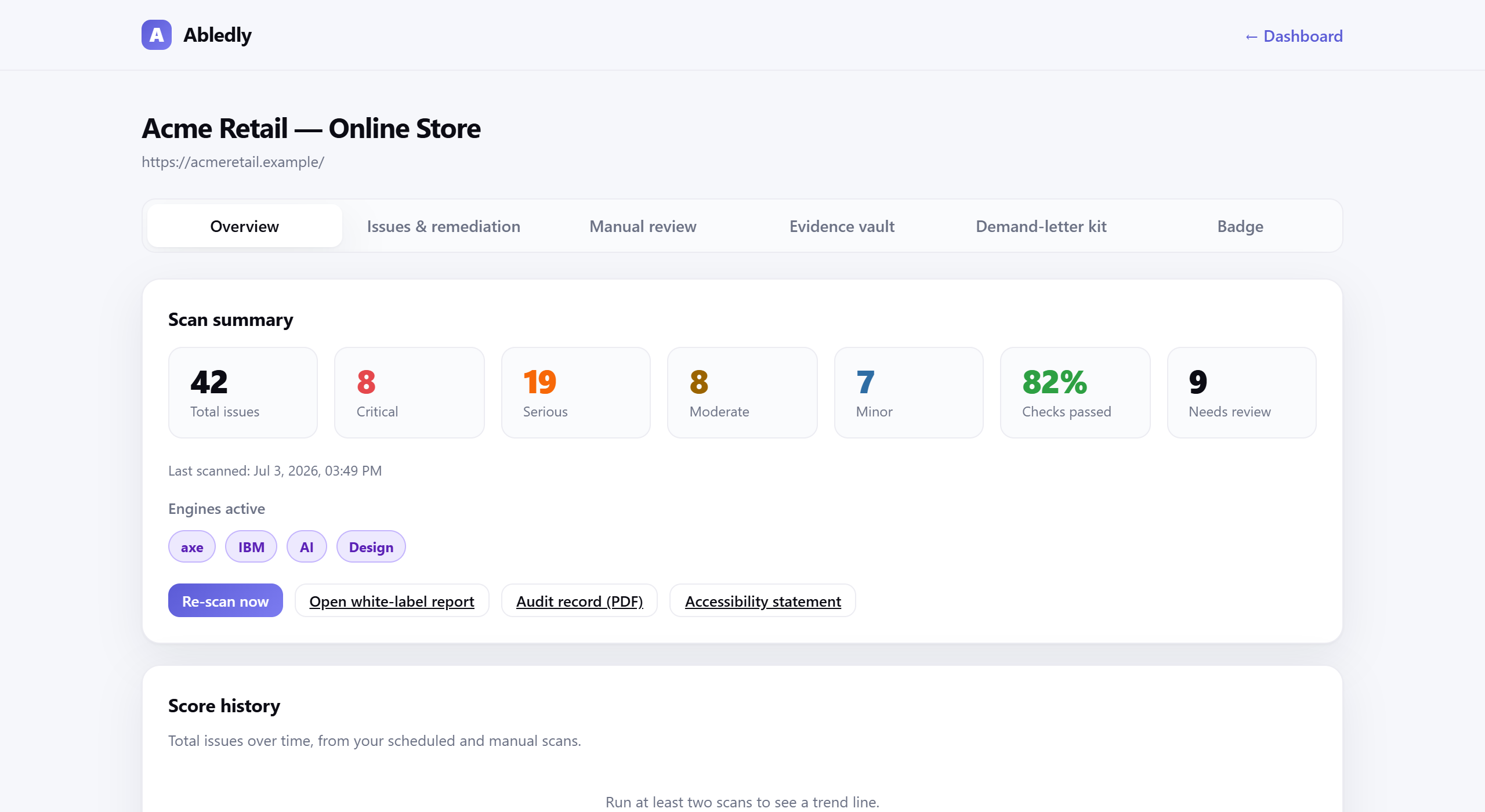
A two-step approach gives you a realistic picture. First, run a scan: Abledly runs axe-core and IBM Equal Access in parallel, then applies an AI review layer that catches ambiguous cases and contextual problems the rule engines miss. You get a prioritized issue list with WCAG criterion references and remediation guidance — not a pass/fail score that papers over real problems.
Click to enlarge
An actual Abledly scan report — real WCAG issues found on a real page, each with a drafted code fix.
Second, do a manual keyboard walk-through of your most critical user journeys: navigation, search, a product page, the checkout or contact form, and any modal dialogs. Use a screen reader (NVDA on Windows is free; VoiceOver ships with macOS and iOS) to hear what assistive technology actually announces. Even an hour of manual testing will surface issues no scanner can catch, and it's the difference between checking a box and actually knowing your website ADA compliance status.
If you need to demonstrate compliance to a regulator, client, or court, Abledly can also generate a free accessibility statement documenting your conformance posture and known limitations — the EU EAA requires one for covered entities, and it signals good faith under the ADA as well. For a deeper look at how a scan works and how to turn findings into shipped fixes, see how to fix accessibility issues once you have your results, or run the checklist above through our free ADA compliance checker and WCAG checker.
What Happens If Your Site Is Not Compliant
The most common path is a demand letter from a plaintiff's attorney, giving you a deadline — often 10 to 30 days — to negotiate a remediation timeline and pay legal fees. Most cases settle. Refusing to engage or making hollow promises (like installing an overlay and claiming compliance) tends to result in litigation. Documented good-faith remediation efforts — a scan history, a remediation log, an accessibility statement — are your best evidence that you are not a willful violator.
The EU Accessibility Act (EAA) adds a separate enforcement layer for businesses selling into the EU market, with member-state regulators enforcing compliance from June 28, 2025 onward. If you have EU customers, the overlap between WCAG 2.1 AA and EN 301 549 means fixing for ADA largely fixes for EAA as well.
Frequently asked questions
Does the ADA actually apply to private business websites?
Yes. Courts have consistently held that Title III of the ADA covers the websites of businesses that operate as places of public accommodation — restaurants, retailers, service providers, hotels, and many others. Over 4,000 federal ADA web-accessibility lawsuits were filed in 2023 alone, and the DOJ issued formal guidance in 2022 confirming that web content must be accessible. The statutory text does not mention the internet, but the legal consensus is settled: if you sell goods or services online, your site is covered.
What WCAG level is required for ADA compliance?
No U.S. statute hard-codes a specific WCAG version, but WCAG 2.1 Level AA is the de-facto standard relied on by DOJ guidance, the Rehabilitation Act Section 508 rules, and the overwhelming majority of demand letters and court consent decrees. Meeting WCAG 2.1 AA is the safest target for demonstrating a good-faith effort at ADA compliance. WCAG 2.2 AA (2023) adds a handful of new criteria and is worth targeting for new builds, but 2.1 AA remains the minimum the courts and regulators expect.
Can an automated scanner tell me if I am fully ADA compliant?
No automated tool can certify full compliance, and any vendor that claims otherwise is misleading you. Automated scanners — even good ones running two engines like axe-core and IBM Equal Access — can reliably detect roughly 30-40% of WCAG failures: things like missing alt text, low color contrast, missing form labels, and absent page titles. The remaining failures — meaningful sequence, keyboard traps, focus management, screen-reader interaction patterns, understandable error messages — require a human tester with assistive technology. A good scan gives you a fast, objective starting point and catches the most common issues, but it must be paired with manual review to reach genuine compliance.
How do I check if my website is ADA compliant?
Start with a free automated scan — Abledly runs axe-core and IBM Equal Access together, then applies an AI review layer, and returns a prioritized list of real WCAG 2.1 AA issues in under a minute, no login required. That covers roughly 60-70% of what a full audit would find. Then do a manual pass: tab through your navigation, forms and checkout with only a keyboard, and listen to your most important pages with a screen reader like NVDA or VoiceOver. Combining both is how to check ADA compliance the way an auditor or plaintiff's firm actually would.
What are the basic ADA website requirements?
There's no single ADA-specific technical spec, but in practice, ADA website requirements mean meeting WCAG 2.1 Level AA: descriptive alt text on images, color contrast of at least 4.5:1 for body text, labeled form fields, full keyboard operability, a visible focus indicator, a logical heading structure, accessible error messages, and captions on video. Those eight areas cover the large majority of issues cited in ADA demand letters and consent decrees.
Get a real picture of your compliance gaps
Free scan, two engines, AI review, no login required. Takes about 60 seconds.
Scan your site free →