Installing a widget isn't the same as fixing anything
Search "fix accessibility issues on website" and most of what you'll find is overlay vendors — accessiBe, UserWay, AudioEye and similar — selling a one-line JavaScript snippet that promises instant, automatic compliance. It's an appealing pitch: no developer, no code changes, done in an afternoon. The problem is what actually happens under the hood. An overlay script runs in the browser and tries to patch behavior at runtime — bigger text, a screen-reader mode, some ARIA attributes injected on the fly. It never touches your actual HTML, CSS or markup. Remove the script, or let it fail to load, and the page reverts to exactly what it was before.
Real remediation means changing the underlying code: adding the alt text that was missing, associating the label that was disconnected from its input, fixing the contrast ratio that failed, correcting the ARIA role that was misapplied. That's what "fixing" a WCAG issue means, and it's the only kind of fix that survives you canceling any tool — including ours. See the full pattern in our accessiBe alternative comparison.
Scan → real issue → drafted fix → you ship it
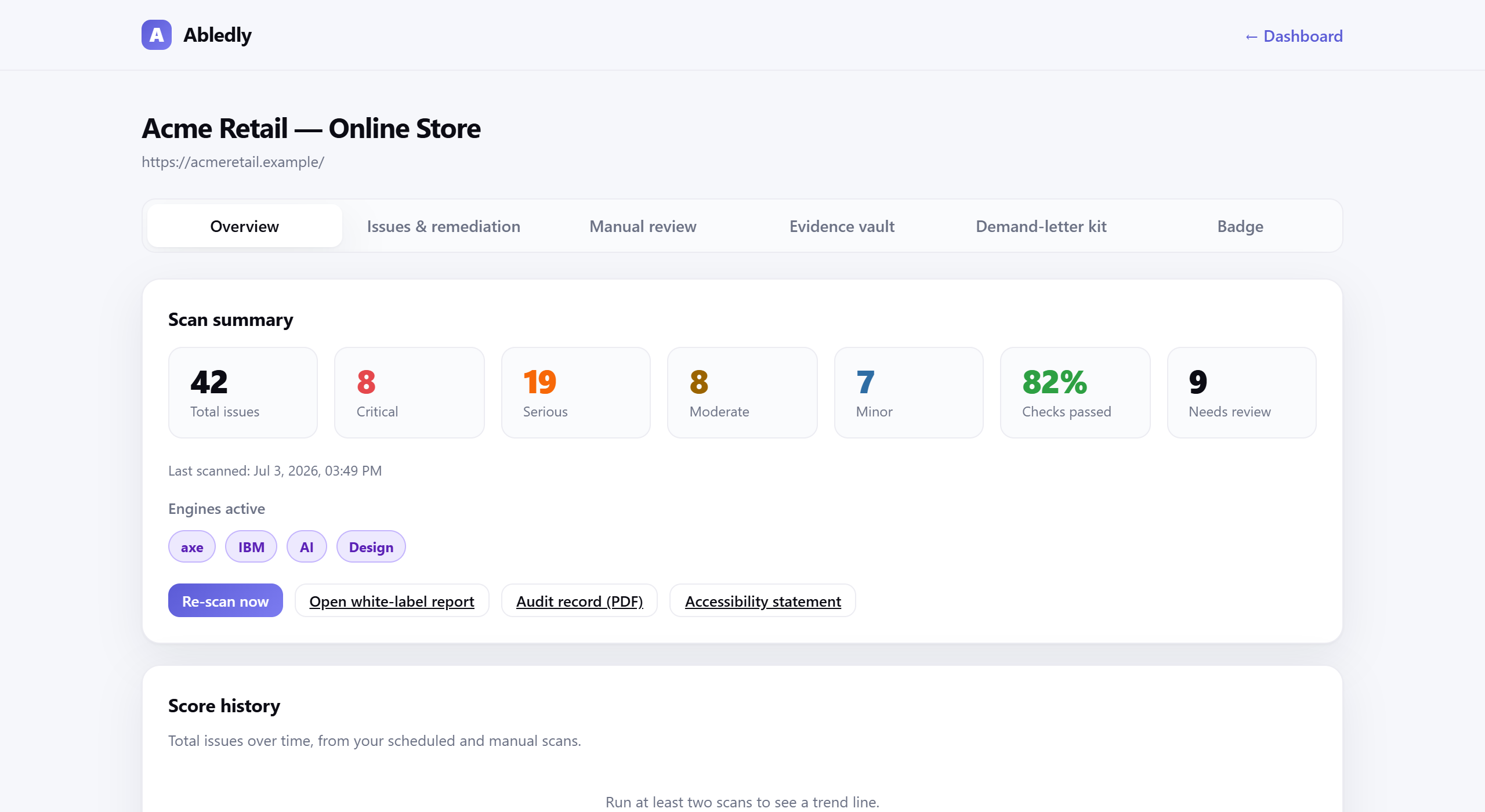
Abledly doesn't touch your live site. It finds problems and hands you the fix to apply yourself, in four steps:
- 1. Scan your live page. Two engines (axe-core + IBM Equal Access) plus an AI review layer check your rendered site against WCAG 2.1/2.2 AA — the same category of check plaintiffs' firms and auditors use.
- 2. See each issue tied to the exact element. Not a generic checklist — the specific selector, the WCAG success criterion it violates, and the severity, pulled straight from your page.
- 3. Get a drafted code-level fix. For each issue, Abledly writes a proposed fix — the corrected markup, attribute or value — as a starting point for you or your developer to apply in your theme or codebase.
- 4. Apply it, then re-check. You ship the change where your code actually lives. Abledly re-scans to confirm it's resolved and logs it to your dated audit trail.
In practice, the fixes we draft fall into three honest categories, not one bucket labeled "fixed":
| Category | What it looks like |
|---|---|
| Ready to ship | High-confidence drafted fix for a well-defined issue — a missing alt attribute, an unlabeled input, a color pair that fails contrast. Usually a direct copy-paste change. |
| Review before you ship | A drafted fix that needs your context — an ARIA role correction, a heading-structure change, a focus-order adjustment — because the "right" answer depends on what the component is actually doing. |
| Manual only | No code fix to draft, because the issue is a judgment call: is this alt text actually meaningful in context, does this link text make sense out of context, is this custom widget genuinely usable by keyboard alone. |
Abledly also drafts alt text for images at scale and generates your accessibility statement and VPAT/ACR from your real scan history — so the fix work and the documentation of it stay in sync.
What automation can fix — and what still needs a human
We'd rather tell you the limit upfront than sell you a false guarantee. No automated tool, including ours, can certify legal compliance, and no tool can safely auto-apply every fix without human review — component context matters too much. Roughly 30-40% of WCAG success criteria genuinely require manual, human judgment to assess, no matter how good the automation gets.
| Abledly can draft a fix for | Still needs manual review |
|---|---|
| Missing alt attributes, unlabeled form fields, insufficient color contrast, empty links/buttons, missing document language, duplicate IDs, missing captions tracks | Whether alt text is meaningful in context, logical reading and focus order, whether link text makes sense out of context, real keyboard-only usability of custom widgets |
| Structural heading/landmark issues, common ARIA misuse patterns | Cognitive load and plain-language clarity, complex interaction patterns, judgment calls specific to your component |
This is why every fix Abledly drafts is something you apply — never something we push to your live site on your behalf — and why we pair the drafted fixes with a guided manual-review workflow for the parts a machine can't responsibly decide on its own.
Frequently asked questions
Does Abledly automatically fix accessibility issues on my website?
No. Abledly is not an auto-fixer and not an overlay. It scans your live site, shows you each real issue tied to the exact element, and drafts a code-level fix suggestion. You or your developer review and apply that fix in your own theme or codebase — nothing is changed on your live site automatically.
What does a drafted code fix from Abledly actually look like?
For issues automation can confidently resolve — a missing alt attribute, an unlabeled form field, a color that fails contrast — Abledly drafts the actual replacement markup or value tied to the specific element it found, so you can copy it straight into your code or hand it to your developer.
Do I need a developer to fix WCAG errors with Abledly?
For many common issues, no — the drafted fix is often a copy-paste change to an attribute or a small snippet. For structural issues like ARIA misuse, focus order or complex widget behavior, you'll want a developer to review and implement the change, since those require testing in context.
What percentage of accessibility issues can be fixed automatically?
Automation can reliably find and draft fixes for a meaningful share of common WCAG violations, but roughly 30-40% of WCAG success criteria require human judgment — things like whether alt text is meaningful in context, whether reading order is logical, or whether a custom widget is genuinely usable by keyboard. No tool, including ours, can close that gap for you.
Will fixing the issues Abledly finds guarantee I won't be sued?
No tool can guarantee that, and we don't claim otherwise. Fixing real, verifiable WCAG issues in your code — and keeping a dated record of doing so — is a genuine risk-reduction step and stronger evidence of good-faith effort than an overlay badge, but it isn't a legal guarantee. This isn't legal advice.
How is this different from an overlay that claims to fix accessibility?
An overlay injects a script that tries to patch behavior at runtime without touching your underlying code — remove the script and the site reverts to exactly how it was. Abledly's fixes are applied directly to your markup, so they stay in place whether or not you keep using Abledly.
See your real issues — and your drafted fixes
Two engines plus AI review, results in under a minute. No overlay, no auto-fix promise, no fake "100% compliant."
Run a free scan →