AudioEye is more than a toolbar — but the fix still isn't yours
AudioEye positions itself differently from a plain overlay like accessiBe or UserWay. Its own materials say plainly that it isn't a toolbar or a widget, and describe an approach that combines automated scanning, human expert audits, and developer-facing tools to address issues at the source rather than mask them. That's a real distinction worth taking seriously — AudioEye isn't selling the same one-line, instant-fix pitch that got accessiBe fined.
But "not a toolbar" isn't the same thing as "changes your code." AudioEye's automated layer works by loading a script that evaluates your page as your browser renders it, then patches accessibility issues in that live, rendered version — not in your original HTML, template files, or CMS content. By AudioEye's own account, that automated layer resolves a little over half of common WCAG issues on its own; the rest goes to AudioEye's human auditors. Here's the part that matters most for anyone comparing tools: AudioEye's own description of how its technology works states that fixes its experts identify don't just live in a report — they too get deployed through that same script. So even the human-reviewed fixes run inside AudioEye's own layer, not inside your codebase.
A transparent scan and code you own — not a script running on your site
Abledly doesn't run anything on your storefront or website. There's no automated layer patching your DOM at runtime, no visitor-facing toolbar, and no legal-guarantee subscription to point to instead of fixing the underlying issue. Instead:
- We scan your actual rendered page with two independent engines (axe-core + IBM Equal Access) plus an AI review layer against WCAG 2.1/2.2 AA — the same category of check plaintiffs' firms run.
- We show you the real issues, with the WCAG success criterion, severity, and proof pulled straight from your page, not a generic checklist.
- We draft code-level fix suggestions that you or your developer apply directly to your markup. The fix lives in your codebase, not in a vendor's script — cancel Abledly and your site stays exactly as accessible as you left it.
- We generate your accessibility statement and VPAT/ACR from your real scan results, so you have a dated, documented record of what was checked and when — not a per-page payout promise.
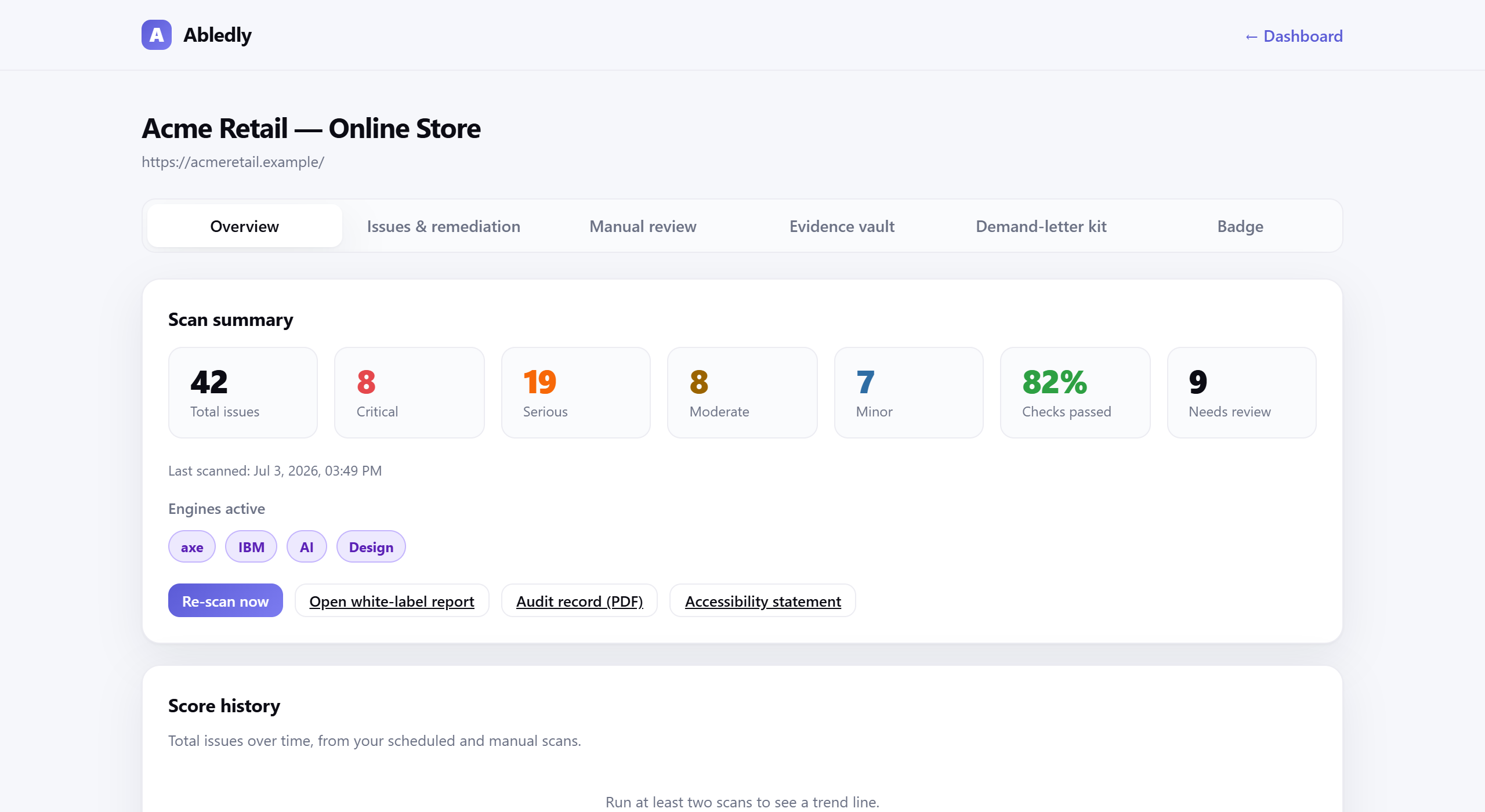
Click to enlarge
An actual Abledly scan report — real WCAG issues found on a real page, each with a drafted code fix.
What we don't do: sell a legal-guarantee payout, or claim any tool — including ours — can certify compliance. A clean scan doesn't mean every WCAG criterion has been met; roughly 30-40% of success criteria still need human judgment. We'd rather tell you that upfront than sell you a false sense of protection.
| AudioEye (automated + expert-audit platform) | Abledly |
|---|---|
| Approach: automated JavaScript layer that patches your page at runtime, plus human expert audits and a paid legal-guarantee program on higher tiers | Approach: real scan of your rendered code — two engines plus AI review against WCAG, no runtime script |
| What you get: issues fixed inside AudioEye's script layer, an audit report, and (on paid tiers) a per-page legal payout promise | What you get: a findings list tied to WCAG criteria, with proof and plain-language fix guidance you implement yourself |
| Underlying code: unchanged — by AudioEye's own account, even expert-identified fixes deploy through its script, not your source files | Underlying code: you apply the real fix; Abledly re-checks it against your live page |
| If you cancel: the automated and expert-deployed fixes run through AudioEye's script — remove it and that layer stops working | If you cancel: every fix stays in your codebase; nothing reverts |
| Compliance claims: says it can improve accessibility quickly, though it does not claim real-time compliance; separately markets a per-page legal-guarantee payout | Compliance claims: no automated tool, including ours, can certify legal compliance — we don't sell a legal guarantee |
| Visitor-facing widget: has offered an accessibility toolbar/personalization menu alongside its automated layer | Visitor-facing widget: none — nothing is added to your live site |
Everything you need to switch, in one place
- Two-engine + AI scan of your live site against WCAG 2.1/2.2 AA, re-run on a schedule
- Plain-language fix guidance for every issue found, tied to the code change and the WCAG criterion it addresses
- A maintained accessibility statement you can publish, generated from your actual scan history
- VPAT / ACR generation for enterprise and government buyers who require one
- A dated audit trail showing when issues were found and fixed — useful if you ever need to demonstrate good-faith effort
- A guided manual-review workflow for the WCAG criteria automation genuinely can't judge on its own
- No script, no toolbar, ever — nothing added to your site's runtime, nothing for visitors to notice
Not ready to switch platforms yet? Start with our guide to fix accessibility issues yourself, or see Abledly pricing to find the right plan.
Frequently asked questions
Is AudioEye an overlay?
Not exactly, and AudioEye is right to push back on that label. It combines an automated JavaScript layer, human expert audits, and developer tools rather than just a cosmetic toolbar. But the automated fixes — and, by AudioEye's own account, even the fixes its human experts find — are applied through AudioEye's own script at runtime, not to your original HTML or templates. That runtime dependency is a trait it still shares with a classic overlay, even though the underlying technology is more sophisticated.
Does AudioEye's Assurance program mean I'm protected from lawsuits?
AudioEye markets Assurance as a paid program that pays a set amount per covered page if you're sued, positioned as stronger protection than automation alone. That's a real benefit worth understanding, but it's a financial payout capped by contract terms, not proof you won't be sued or that your site is compliant. No accessibility vendor, including Abledly, can guarantee a legal outcome — read any guarantee's terms the same way you'd read an insurance policy.
Is Abledly an overlay?
No. Abledly doesn't inject any script into your storefront or website, and there's no toolbar for your visitors to see. It scans your real page, shows you the actual WCAG issues, and helps you fix the underlying code. Nothing runs on your live site at all.
Can I switch from AudioEye to Abledly?
Yes. If you're on an AudioEye plan that injects a script, remove that script tag, then run a free Abledly scan to see your real baseline — since AudioEye's automated and expert-reviewed fixes live in its own script rather than your codebase, most of the same underlying issues will still be there once it's removed. From there you work through Abledly's fix list issue by issue. There's nothing to migrate.
Does Abledly make my site ADA compliant automatically?
No, and we don't claim it does. No automated tool can certify legal compliance, including ours. Abledly finds and helps you fix machine-detectable issues fast, and guides you through the roughly 30-40% of WCAG criteria that need manual human review. Full conformance is ultimately a legal judgment — this isn't legal advice.
Ready to trade a script for code you actually own?
Run a free scan of your actual site — two engines plus AI review, no script installed, no legal-guarantee payout to hide behind.
Run your free scan →