A text stand-in for an image, read by screen readers and search engines
Alt text (short for "alternative text") is a written description you attach to an image through its HTML alt attribute — for example <img src="beanie.jpg" alt="Red wool beanie, front view">. It doesn't show up visually on the page in most browsers. Instead, it's read by software that can't process the image itself:
- Screen readers (VoiceOver, NVDA, JAWS, TalkBack) announce the alt text aloud in place of the image, so blind and low-vision users get the same information sighted users get by glancing at the picture.
- Search engines use alt text to understand what an image shows, since crawlers can't "see" pixels — this feeds image search and contributes to overall page relevance.
- Every browser, not just assistive tech, falls back to showing the alt text if an image fails to load, which is a smaller but real everyday benefit.
Good alt text is a small piece of markup with an outsized effect: it's often the difference between a screen-reader user understanding your product photo and hearing nothing at all, or hearing a meaningless filename read aloud instead.
Decide first, then write: decorative images get an empty alt; everything else gets a real one.
Five rules that cover almost every case
- Be concise and specific. One short sentence, roughly 8-15 words. Say what matters for this image in this context, not a full paragraph of visual detail.
- Describe function and context, not just appearance. A "buy now" icon should describe the action; a photo used as a link should describe where it goes; a chart should describe the takeaway, not the colors of its bars.
- Don't start with "image of" or "picture of." Screen readers already announce that an image is present before reading the alt text, so those words just waste the listener's time.
- Use
alt=""for purely decorative images. Spacers, ornamental dividers, and icons that repeat adjacent text should get an empty alt attribute — never omit the attribute entirely, and never describe decoration as if it were content. - Don't keyword-stuff. Alt text isn't a place to cram in every product keyword you want to rank for. Describe the actual image accurately; if it doesn't match what's on screen, it fails both users and WCAG 1.1.1.
One short sentence — about 8-15 words.
Say what matters here, not everything visible.
Screen readers already announce it's an image.
alt="" — present but silent, never omitted.
Describe the image, not a wishlist of search terms.
Four real examples, bad vs. good
These are illustrative examples built to show the pattern — not scans of a live page. Use them as a template for your own images.
alt="IMG_2048.jpg"
No real description — some screen readers spell out the filename instead.
alt="Red wool beanie, front view"
Specific, concise and contextual — exactly what a shopper needs.
1. Product photo
A single beanie on a plain background, ecommerce product image.
alt="IMG_2048.jpg"
Tells a screen-reader user nothing about the product. Some readers will spell out the filename letter by letter, which is worse than silence.
alt="Red wool beanie, front view"
States the product, color and material — the details a shopper would want if they couldn't see the photo.
2. Company logo
A logo used as the site's home-page link in the header.
alt="blue and white swirl logo graphic"
Describes what the logo looks like instead of what clicking it does. Visual detail about a logo is rarely useful to a screen-reader user.
alt="Abledly home"
Since the logo is wrapped in a link to the homepage, the alt text should describe the destination — matching how a sighted user actually uses it.
3. Decorative divider
A thin ornamental line graphic separating two sections, carrying no information.
alt="decorative wavy line divider graphic"
Forces a screen-reader user to sit through a description of something that conveys zero meaning — pure noise in their listening experience.
alt=""
An empty alt attribute tells assistive technology to skip the image silently. Note the attribute is still present — omitting it entirely can trigger a filename readout instead.
4. Infographic / chart
A bar chart showing quarterly revenue growth, used to support a claim in the surrounding text.
alt="bar chart with blue bars"
Confirms an image exists but conveys none of the actual data or conclusion the chart is making.
alt="Bar chart: quarterly revenue grew from $2M to $3.4M over four quarters"
For data-dense images, the alt text (or adjacent visible text/caption) should carry the conclusion a sighted user would take away from looking at it — not every axis label and gridline.
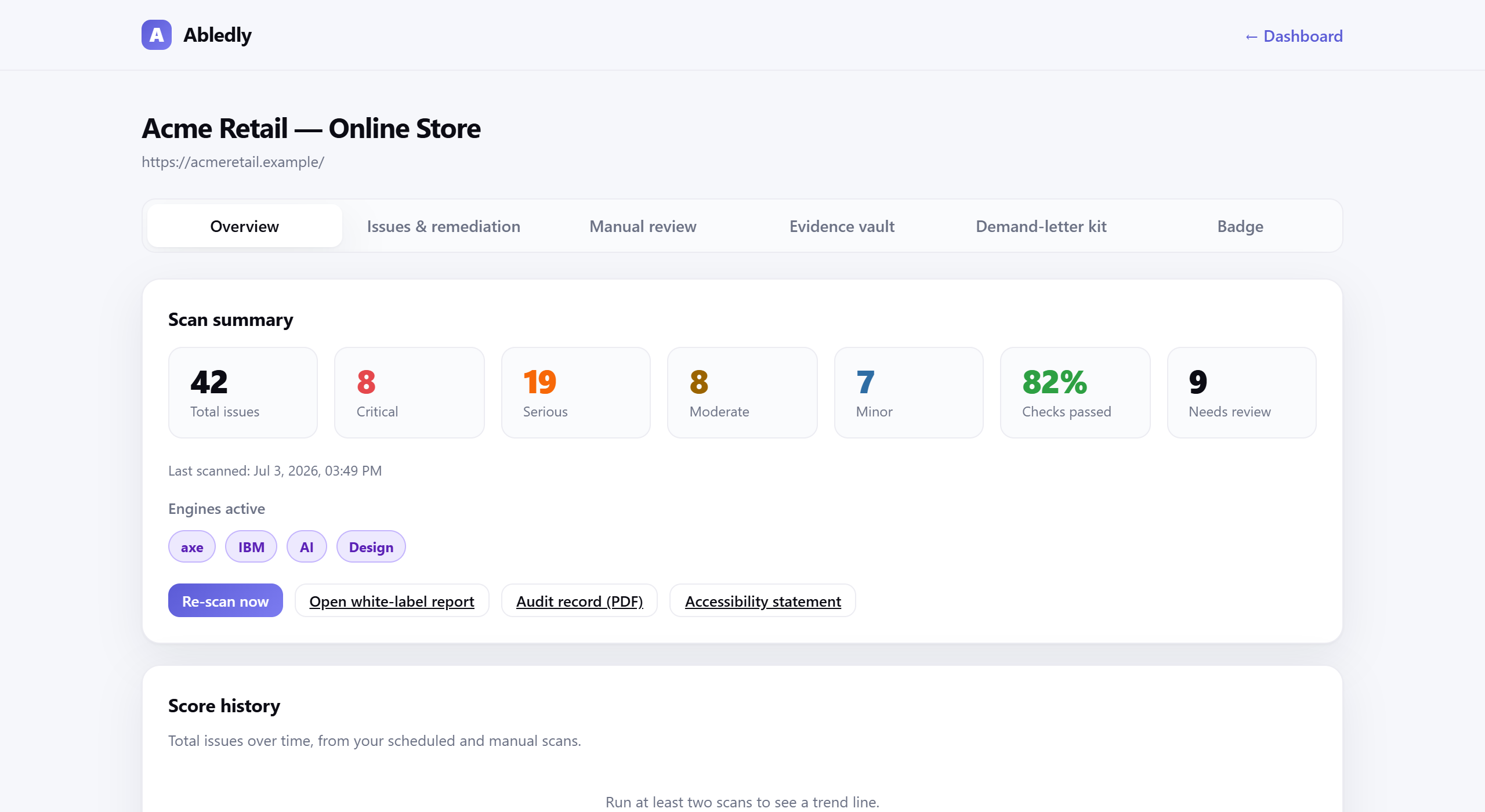
Click to enlarge
An actual Abledly scan report — missing alt text shows up here as its own flagged issue, tied to WCAG 1.1.1.
How alt text ties to WCAG 1.1.1
Alt text isn't just a best practice someone made up — it's a direct requirement of the Web Content Accessibility Guidelines. WCAG 1.1.1 (Non-text Content, Level A) requires that all non-text content presented to a user has a text alternative that serves an equivalent purpose. Images are the most common case, but the same criterion covers icons, buttons, form image inputs, and CAPTCHAs.
This is one of the most-cited criteria in real ADA and AODA web-accessibility complaints, because missing alt text is easy for both automated scanners and human plaintiffs' reviewers to detect — and easy to prove: either the attribute is there and accurate, or it isn't.
Writing alt text for hundreds of images
These rules are easy to apply to a handful of hero images. They get harder to apply consistently once a product catalog or blog has hundreds or thousands of images, each needing its own description. That's a real operational problem, not just an accessibility one — it's the most common reason alt text quietly goes missing across large sites.
Two practical paths: audit what you already have with a scanner that flags every image missing alt text against WCAG 1.1.1 (see how to fix accessibility issues once you know what's broken), or use AI to draft descriptions at scale and spot-check them against the rules above before publishing. Abledly's bulk alt-text generator does the AI-drafting part; you (or a reviewer) should still skim the output for the decorative-vs-informative judgment calls a model can miss. If you run a Shopify store specifically, see our Shopify accessibility app guide for a store-focused workflow.
Frequently asked questions
What is alt text?
Alt text (alternative text) is a short written description added to an image's HTML alt attribute. Screen readers announce it in place of the image, so blind and low-vision users get the same information sighted users get by looking at the picture. Search engines also read it, since they can't "see" an image either.
How long should alt text be?
Long enough to convey the meaning, short enough to stay skimmable — most good alt text runs about 8-15 words, roughly one short sentence. There's no hard character limit in the WCAG spec, but screen readers read the whole string aloud, so padding it with unnecessary detail or keywords makes it worse, not better.
Should decorative images have alt text?
No — decorative images (spacers, dividers, purely ornamental icons) should use an empty alt attribute, alt="", not be left off entirely. An empty alt tells screen readers to skip the image silently. Omitting the alt attribute altogether can cause some screen readers to announce the filename instead, which is worse than saying nothing.
Is alt text good for SEO?
Yes, alt text is one of the signals search engines use to understand image content for image search and overall page relevance. But it should describe the image accurately for a screen-reader user first — stuffing keywords that don't describe the actual image violates WCAG 1.1.1 guidance and reads as spam to both users and search engines.
What does WCAG 1.1.1 say about alt text?
WCAG 1.1.1 (Non-text Content, Level A) requires that every non-text piece of content — including images — has a text alternative that serves the equivalent purpose. For informative images that means a description; for purely decorative images it means an empty alt so assistive technology can ignore them. It's one of the most-cited criteria in ADA web-accessibility lawsuits because missing alt text is easy to detect and easy to prove.
Can AI write alt text for me?
AI can produce a solid first draft fast, especially at scale across a large image library, and it's far better than leaving alt text blank. It still can't reliably judge context — whether an image is decorative, what role it plays on the page, or which detail actually matters — so a quick human review of AI-drafted alt text is worth doing before you publish.
Have hundreds of images that need alt text?
Abledly's AI alt-text generator drafts descriptions for your whole image library, and our free scanner flags every image still missing one against WCAG 1.1.1.
Try the alt-text generator →